

I used the Azure Logic Apps Automation, a new SaaS-style SKU that Microsoft put into public preview at Build 2026 (https://auto.azure.com), to build a workflow by describing it in plain English instead of dragging connectors onto a canvas. This update allows you to type what you want, a built-in AI Assistant drafts the trigger, the actions, and the expressions, and you review/adjust from there. Beyond vibe coding, you can also start a workflow from templates or from scratch.
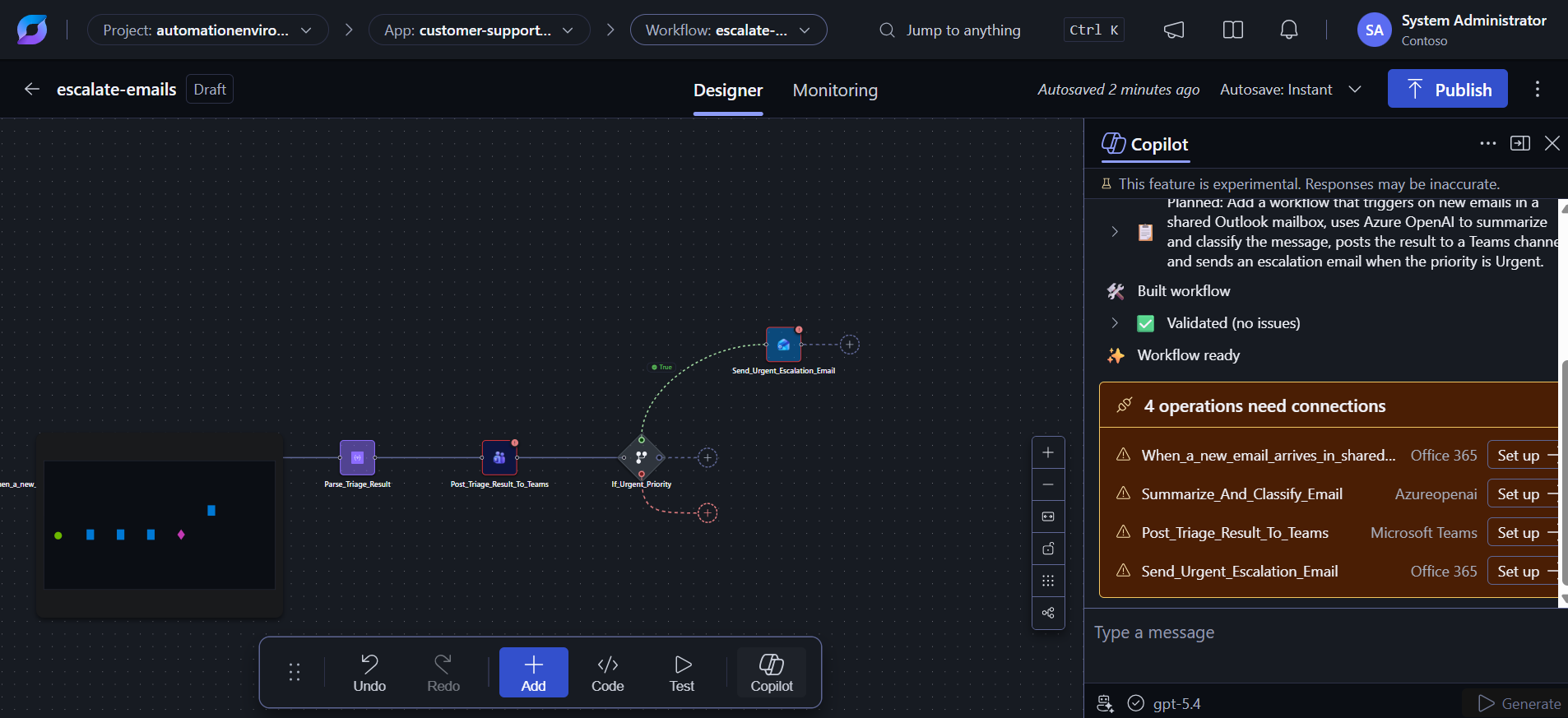
This post covers what’s actually happening under the hood, and the questions worth asking before you’d trust this in production: cost, architecture, governance, and how it sits next to the Logic Apps you already run.
A few structural details worth knowing:
The portal lives outside the Azure portal proper, at auto.azure.com, but the underlying resource is still an Azure resource.
JavaScript replaces the old expression DSL. Instead of Logic Apps’ workflow definition language, you write inline JavaScript to transform data, which is a meaningfully different authoring model from classic Logic Apps.
Agents are native. The runtime supports agent-loop orchestration, direct invocation of Microsoft Foundry Hosted Agents from the canvas, and a managed sandbox for agent harnesses (e.g., GitHub Copilot with shell access).
It’s explicitly probabilistic, not purely deterministic. Microsoft’s own docs describe the runtime as using an adaptive/probabilistic approach for agentic behavior, so the execution path can vary between runs based on context, which is a real departure from classic Logic Apps, where the same input reliably produces the same path through the workflow every time.
Cost model
Logic Apps Automation bills on elastic vCPU-seconds : workflows scale up under load and scale to zero when idle, and you pay only for compute actually consumed. No per-seat licensing, no fixed monthly hosting tier like Logic Apps Standard’s WS1 plan.
That’s a quite different from the two existing pricing models:
Consumption (multi-tenant Logic Apps) : pay per action/trigger execution.
Standard (single-tenant Logic Apps): pay for a reserved hosting plan (a fixed vCPU/memory tier) whether you use it or not.
Fitting it into an existing environment
A few integration realities to flag if you’re piloting this against a real Azure estate rather than a demo tenant:
VNet integration isn’t there yet. Microsoft has said VNet support is on the roadmap for Logic Apps Automation but not available in the current preview. If your existing Logic Apps Standard workflows sit behind private endpoints or your data can’t traverse the public internet, this SKU currently can’t sit in that same network boundary.
Custom connectors and Service Provider connectors are limited in preview. If you lean heavily on custom/Service Provider connectors in your current Logic Apps Standard estate, don’t assume 1:1 parity with Automation on day one.
Migration is not (yet) a supported story. There’s no documented path for converting an existing Standard/Consumption Logic App into an Automation application.
Concerns worth raising before a production pilot
Preview status. This is public preview software with the standard Azure Supplemental Terms for Previews. It means no SLA guarantees, and features (including pricing) can change before GA.
Cost visibility. Vibe-coding a workflow is fast, which also means it’s fast to accidentally provision more connector calls, model calls, and knowledge-base ingestion than intended.
Shadow automation risk. The privacy-by-default design for individual builders is good UX, but it also means it’s structurally easy for automations to exist that project owners don’t see the contents of. Consider having discussions around process for auditing or promoting individual-scope automations.
Model governance. AI model approval happens at the project level hence teams need an actual policy conversation about which models/providers are acceptable for a given data sensitivity level.
Finally, it’s worth trying out and sharing your feedback, either directly with Microsoft or by messaging me, and I’ll make sure it gets passed along.
This is a shift from what we’ve traditionally known as Logic Apps automation. I see it as a separation of concerns. The SaaS application focuses on providing a modern automation experience, while the underlying resources and infrastructure continue to reside in Azure.
That’s all for today, see you in the next one.