

This week I built something interesting with Copilot Studio.
Did I disappoint you by not making it Azure-related? 😄 Bear with me.
Instead of building a simple chatbot demo, I wanted to see how far an agent could go in handling a real internal IT scenario Thanks to the Copilot Agent Academy from Microsoft.
So I designed an end-to-end device request assistant.
Here is how it works.
An employee asks the agent about available devices.
The agent triggers the Available Devices topic, which queries Dataverse and filters devices that are currently available based on type and status.
The agent then shows the results and asks a simple question:
“Would you like to request one of these devices?”
If the answer is yes, the conversation moves to the Request Device topic.
At this point an Adaptive Card is generated dynamically, showing device details and allowing the user to submit a request with notes.
Once the user submits the card, an agent flow takes over.
In this post, I will walk through how the Available Devices topic that retrieves and filters enterprise data from Dataverse in real time was designed.
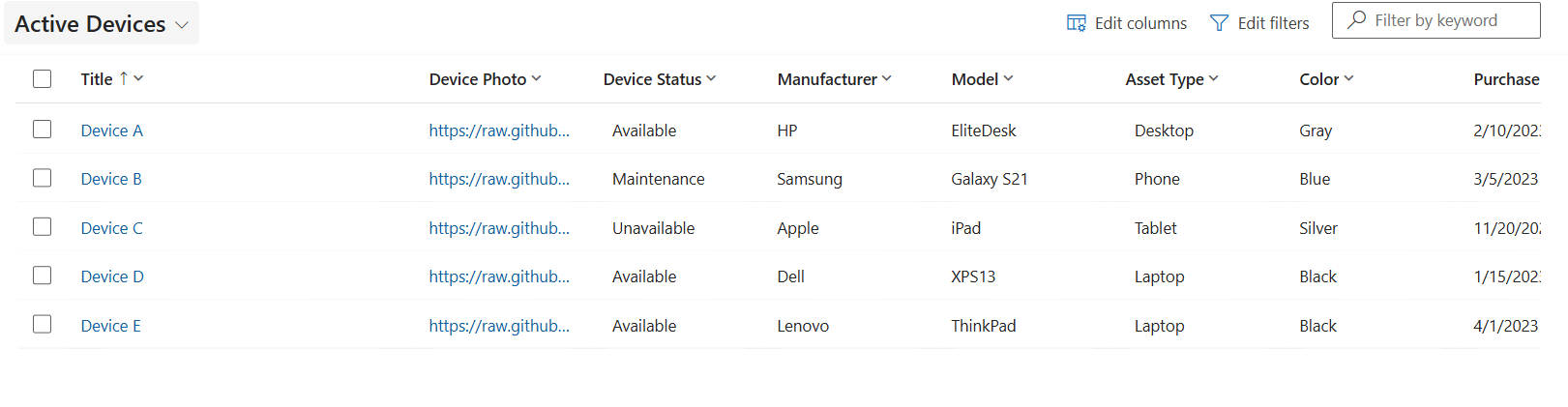
For this lab, I needed a table in Dataverse to store devices:
Step 1 — Creating a Topic to Handle the Request
The first step is defining how the agent understands the request.
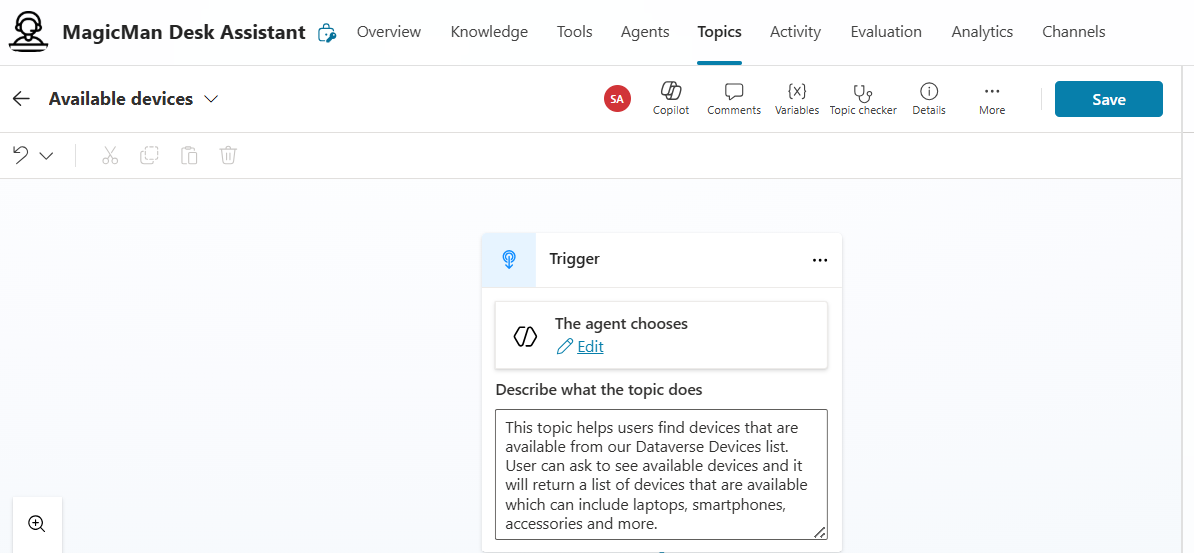
In Copilot Studio, this is done using a Topic.
The topic acts as:
The entry point for the request
The logic container for handling it
In this case, I created a topic responsible for: Finding available devices based on user input
Step 2 — Capturing User Intent (Input Variable)
The agent needs to understand what the user is asking for.
For example:
Laptop
Desktop
Smartphone
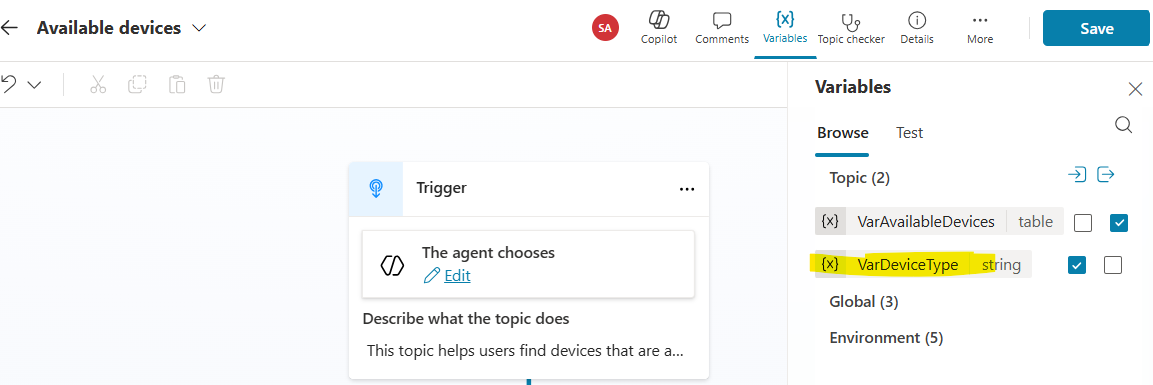
To handle this, I defined an input variable:
Device Type (captured from user message)
This allows the agent to dynamically adapt its query based on what the user asks.
Step 3 — Defining the Expected Output
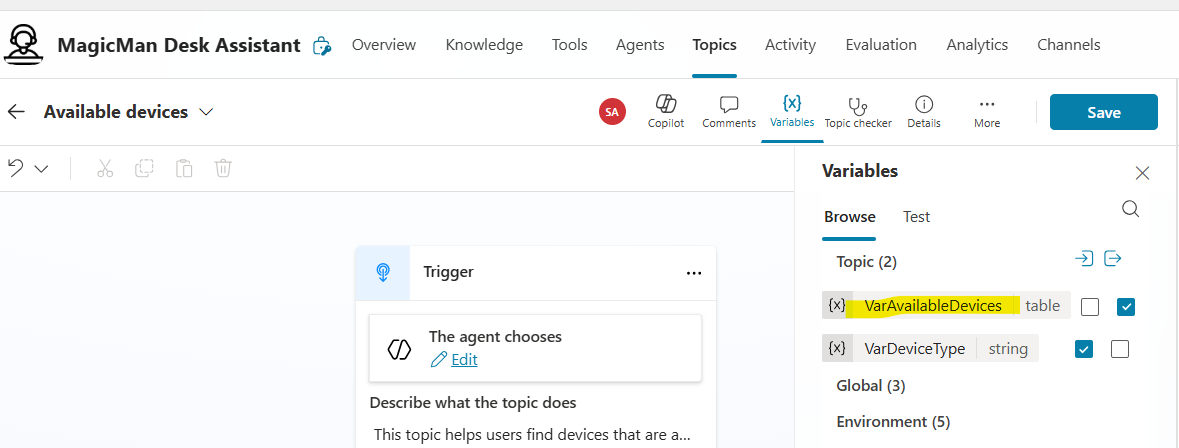
Next, I defined what the topic should return.
In this case:
A list of available devices
This is structured as a table output, which allows the agent to process and present multiple records cleanly.
Step 4 — Connecting the Agent to Dataverse
Now comes the key part.
The agent needs to retrieve real data.
This is done using a connector action:
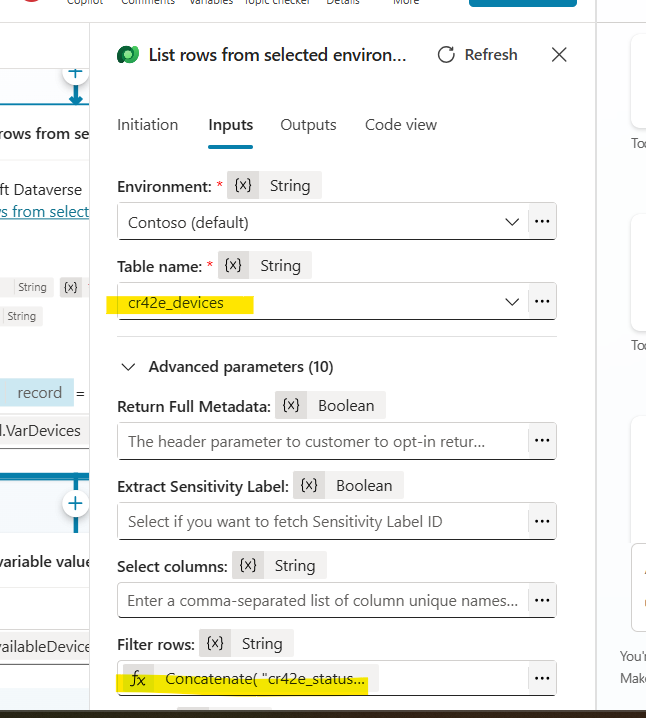
Dataverse → List Rows
The important fields here are the Table name, as well as the filter rows. Here is the fx for the filter rows to ensure only available devices are returned.
We only want:
Devices that are Available
Devices that match the requested type ( Based on User’s input/answer in the chat)
Note the casting from string value to optionset value (required when dealing with Dataverse)
Concatenate(
    "cr42e_status eq 557910000 and cr42e_assettype eq ",
    If(
        Topic.VarDeviceType = "Laptop", 557910000,
        Topic.VarDeviceType = "Phone", 557910002,
        Topic.VarDeviceType = "Desktop", 557910003,
        Topic.VarDeviceType = "Tablet", 557910001,
        Blank()
    )
)
Step 5 — Preparing Data for the Agent Response
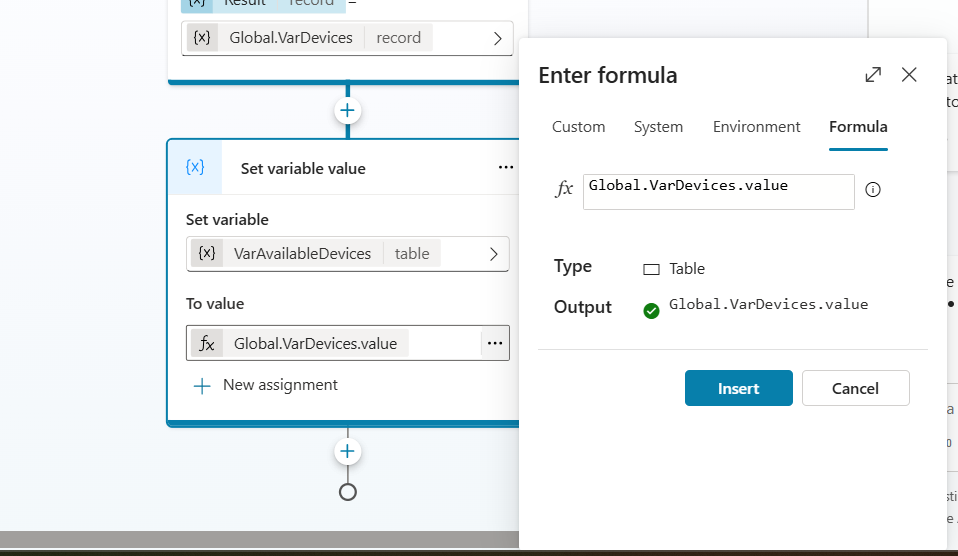
The filtered data is then mapped into a variable that the agent can use in its response by adding a node. Variable Management → set variable value
This step ensures:
Clean formatting
Reusability across the conversation
We are doing this because the output of “List rows “ is scoped to that node, and not guaranteed to be usable reliably across the whole conversation unless you explicitly store it. It also normalizes the data as the output Connector output is messy (metadata, paging, etc). By using .value, we ensure we’re extracting the actual records
Final Step — Guiding the Agent with Instructions
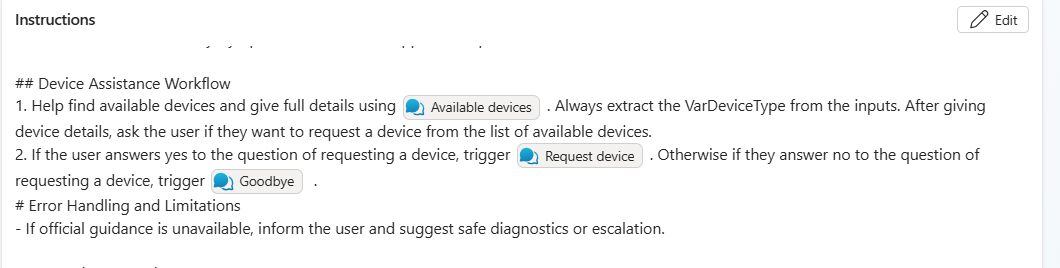
After building all of the components, the agent is then guided with instructions.
These instructions define:
When to trigger the topic
How to respond
What to ask next
For example:
Show available devices
Ask if the user wants to request one
This is what turns the solution from a query into a conversation.
Next up: Request Device.
The agent moves from just listing available devices to handling requests via an adaptive card.
That’s all for today. See you in the next one.